Space Booking, Simplified
Desks, meeting rooms and car bays, booked in seconds.
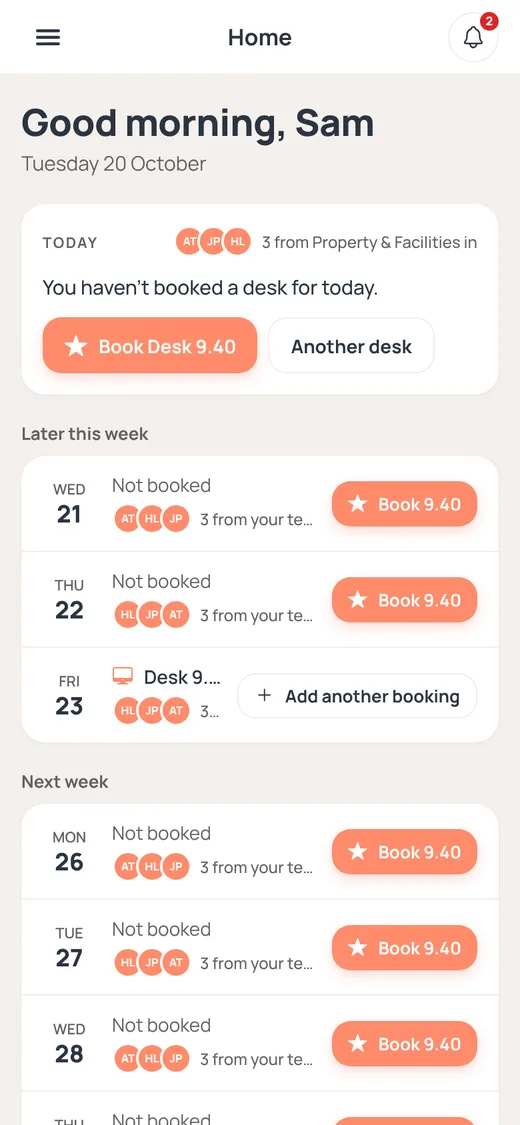
One live floor plan for every office. People book where they’ll work, see who’s in and check in on arrival. Sign in with Microsoft Entra ID. Works on any phone or computer.
Already a customer? Sign in at
app.axlespace.com.au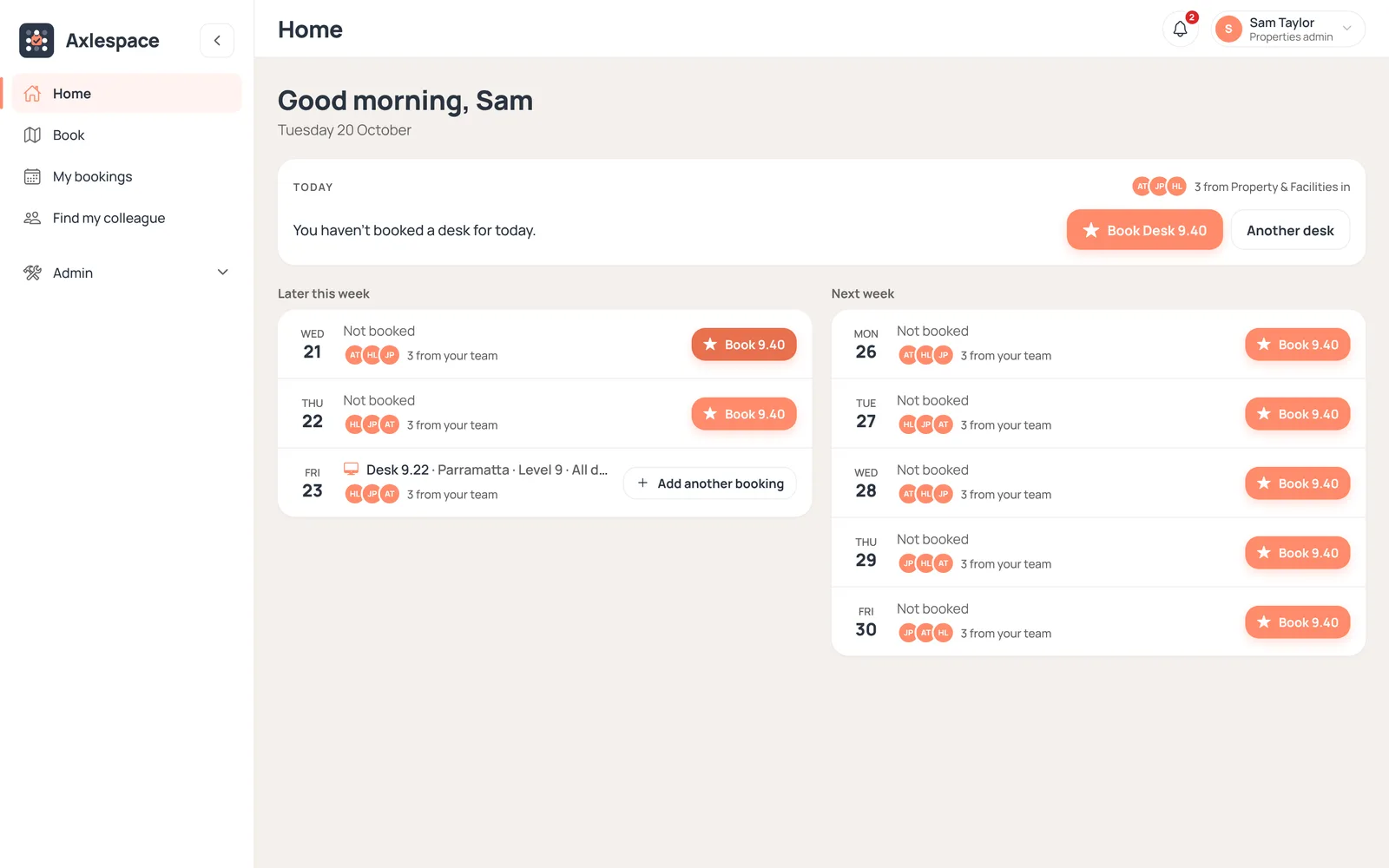
Desks
Pick a spot on a live floor plan
Meeting rooms
Book by the hour
Car bays
In the same app
Find a colleague
See where your team sits
Microsoft sign-in
Entra ID, no new passwords
Why Axlespace
Hybrid work runs on knowing who’s in.
Give people a place when they need one, and see how your space is really used.
No-shows freed
Desks nobody checks in to go back to the pool for others.
Nothing to install
Runs in the browser on any phone, tablet or computer.
Your rules
Booking windows, opening hours and closures for each office.
Real usage
Utilisation measured from check-ins, not just bookings.
How it works
Up and running in three steps
STEP 1
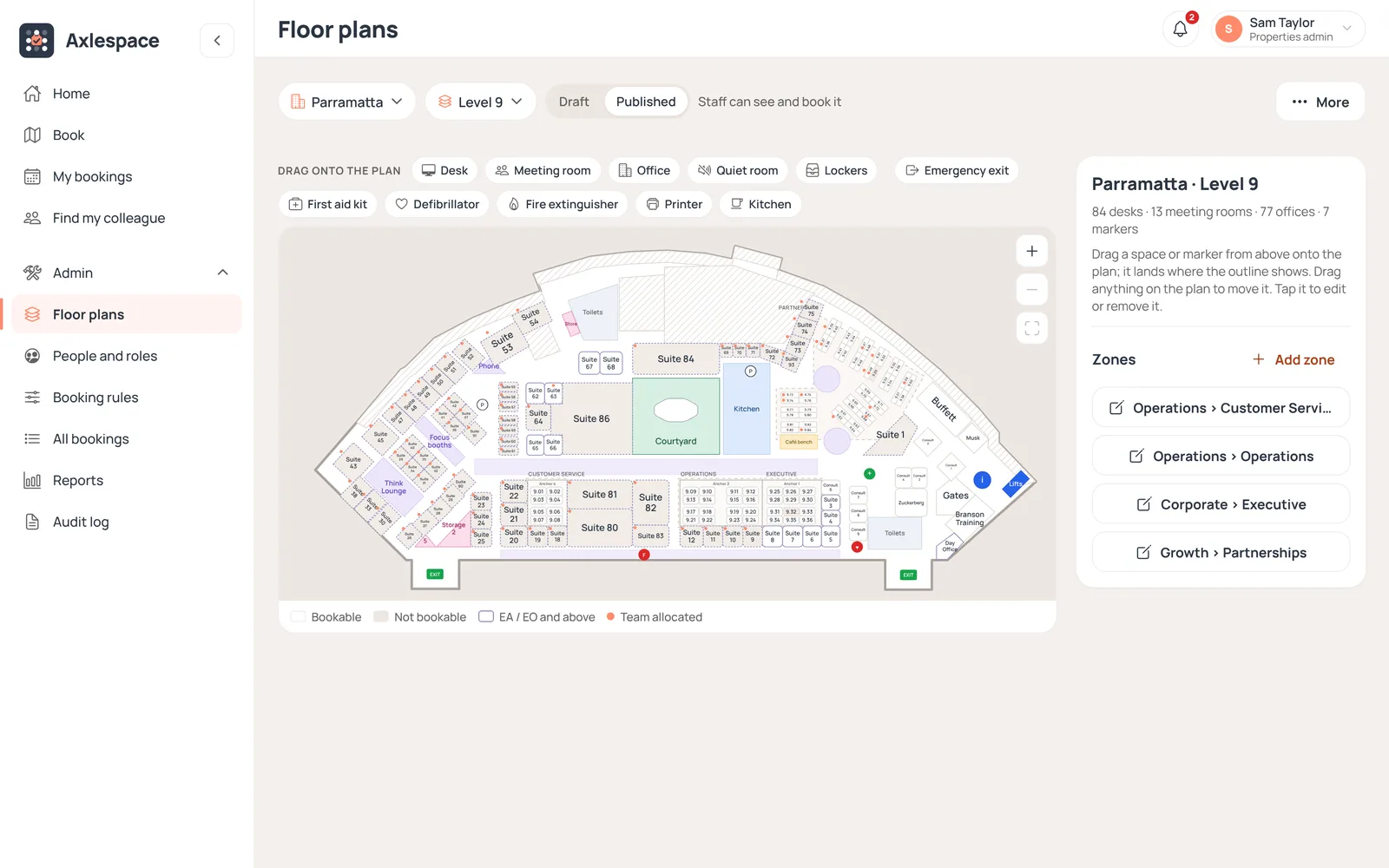
Set up your offices
Import a floor plan for each level, drag desks, rooms and car bays onto it, then publish. Connect Microsoft Entra ID or invite people by email.
STEP 2
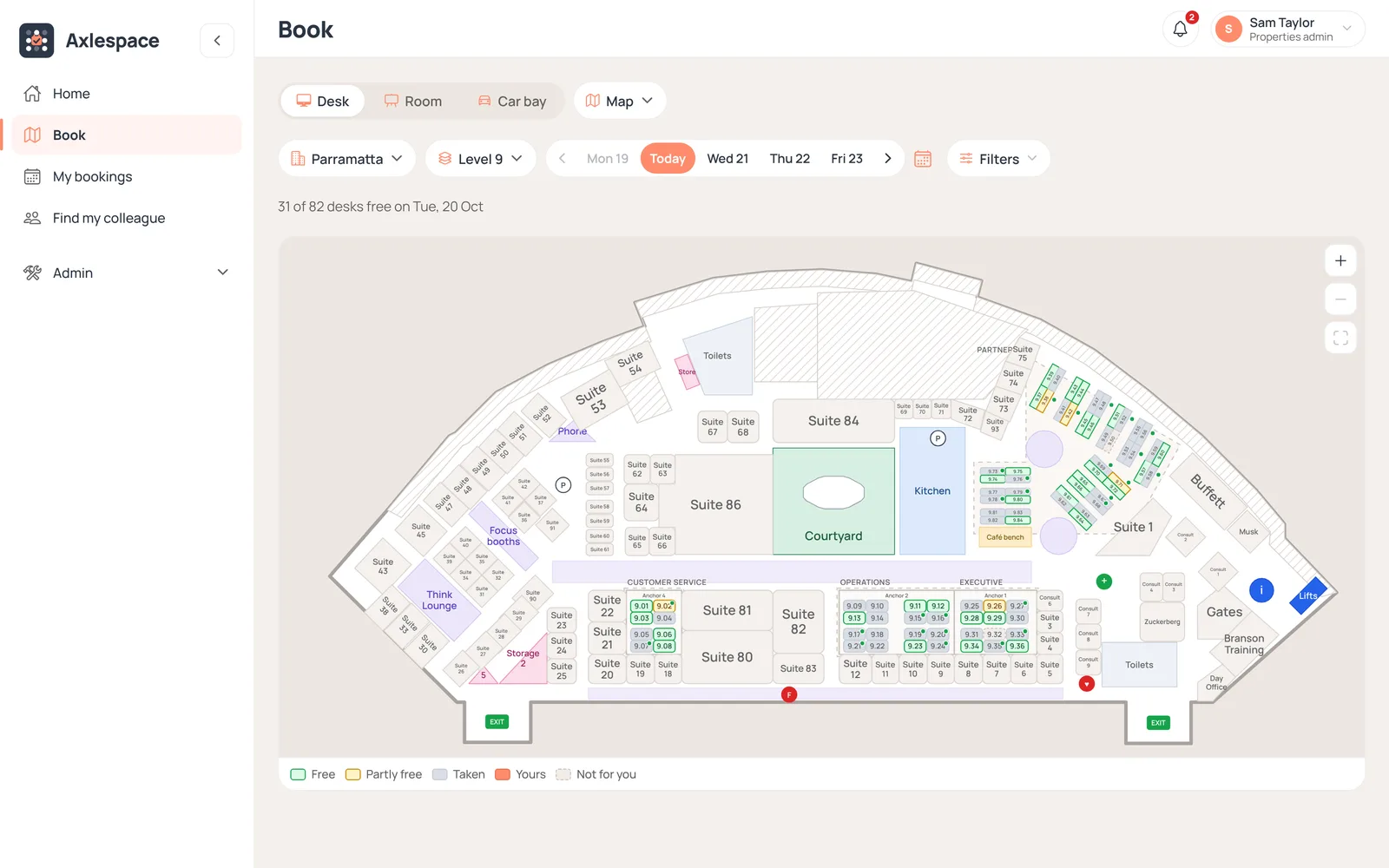
People book in seconds
Pick a free desk on the map, book a room or a car bay, and see which teammates are in that day.
STEP 3
Check in and see usage
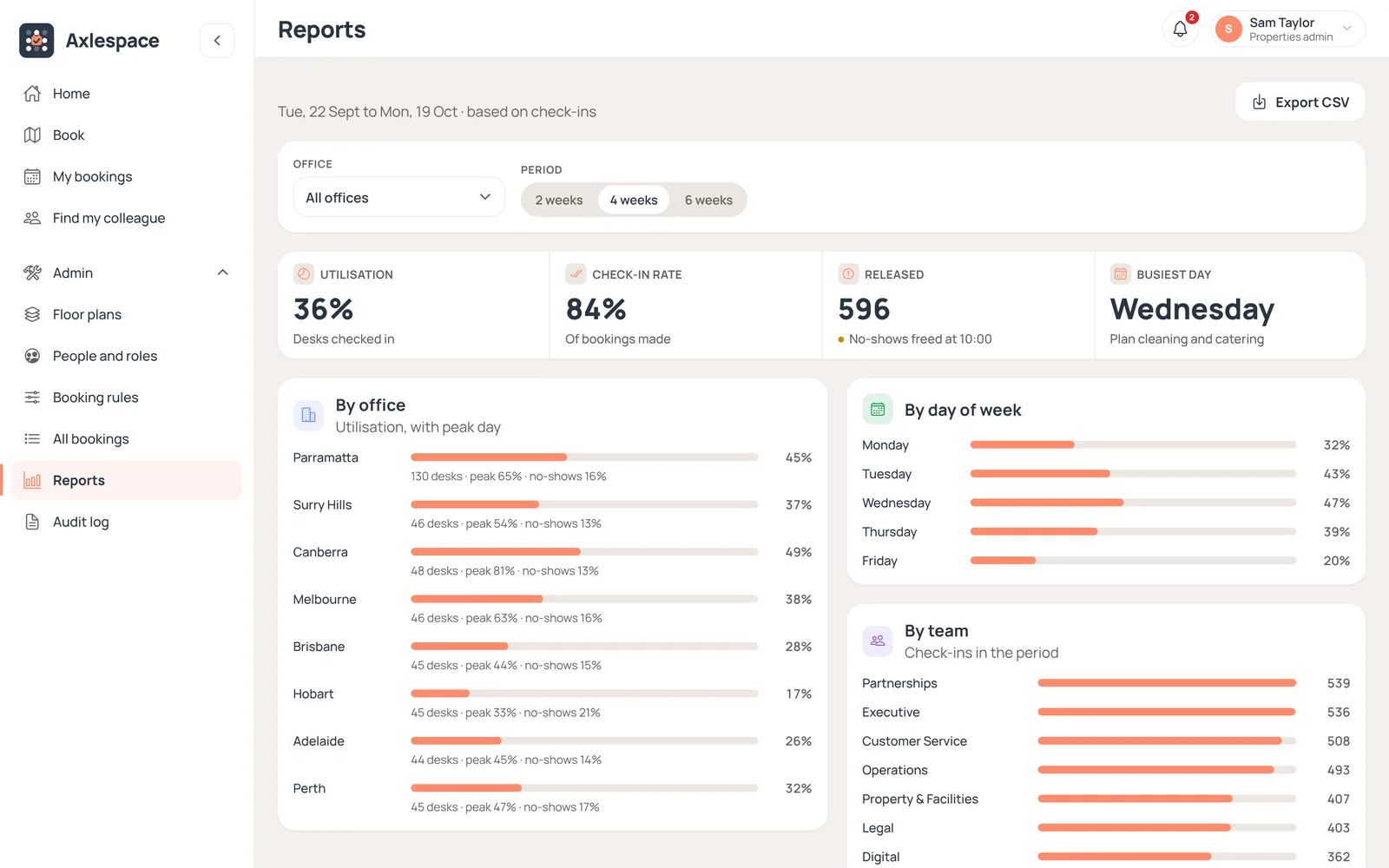
People check in when they arrive. No-shows are released, and reports show how each office is really used.
Features
Everything your office books, in one place
Desk Booking
Every level on a live floor plan. Free, taken and yours at a glance, for today or weeks ahead.
Book all day or for set hours
A usual desk, one tap to rebook
Desks set aside for teams or roles
Every level on a live floor plan. Free, taken and yours at a glance, for today or weeks ahead.
Book all day or for set hours
A usual desk, one tap to rebook
Desks set aside for teams or roles
Common questions
About Axlespace
Get started
See Axlespace on your own floor plan
Book a demo and we’ll walk you through it.
Already a customer? Sign in at app.axlespace.com.au